Relationship Manager Dashboard for Major Donor Fundraising
Project Overview
This project focused on designing a comprehensive relationship manager dashboard to help major gift fundraisers manage and engage with their portfolios more efficiently. The dashboard aims to centralize key information, streamline workflows, and reduce manual effort, ultimately enhancing the relationship-building process for major donors.
Problem
Relationship managers were struggling with fragmented data and inefficient workflows when managing major donor portfolios in Bloomerang CRM. Pain points included:
Difficulty summarizing past giving and interactions in constituent reports.
Challenges in tracking upcoming tasks and prioritizing engagement efforts.
High effort required to create tasks for each constituent.
Limited ability to calculate key performance indicators (KPIs) like revenue and interaction count.
The need for major gift relationship managers to organize and plan using spreadsheets due to the limitations of the CRM system.
My Role
I served as both designer and product manager on this project, which meant I owned the full design process — from conducting user research and stakeholder interviews to wireframing, prototyping, and delivering final UI. I also collaborated cross-functionally to define requirements and align on priorities. Working in this hybrid capacity gave me a direct line to user needs and business goals simultaneously, which shaped many of the design decisions throughout.
Solution
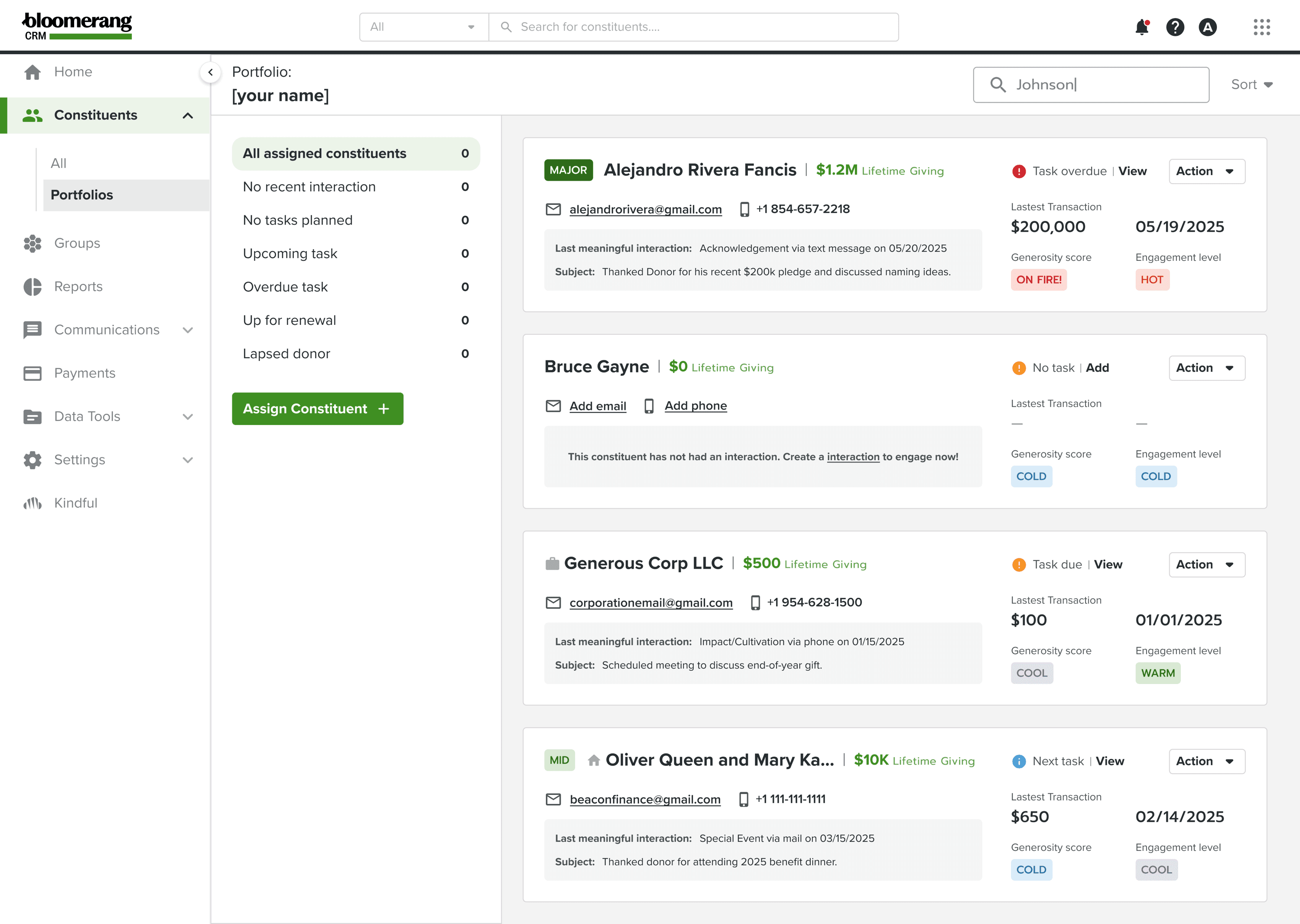
The goal was to create a dashboard that gives relationship managers an at-a-glance view of their portfolio’s health and key information about each constituent. The dashboard allows them to:
View essential data on each donor (e.g., lifetime giving, engagement scores, contact details).
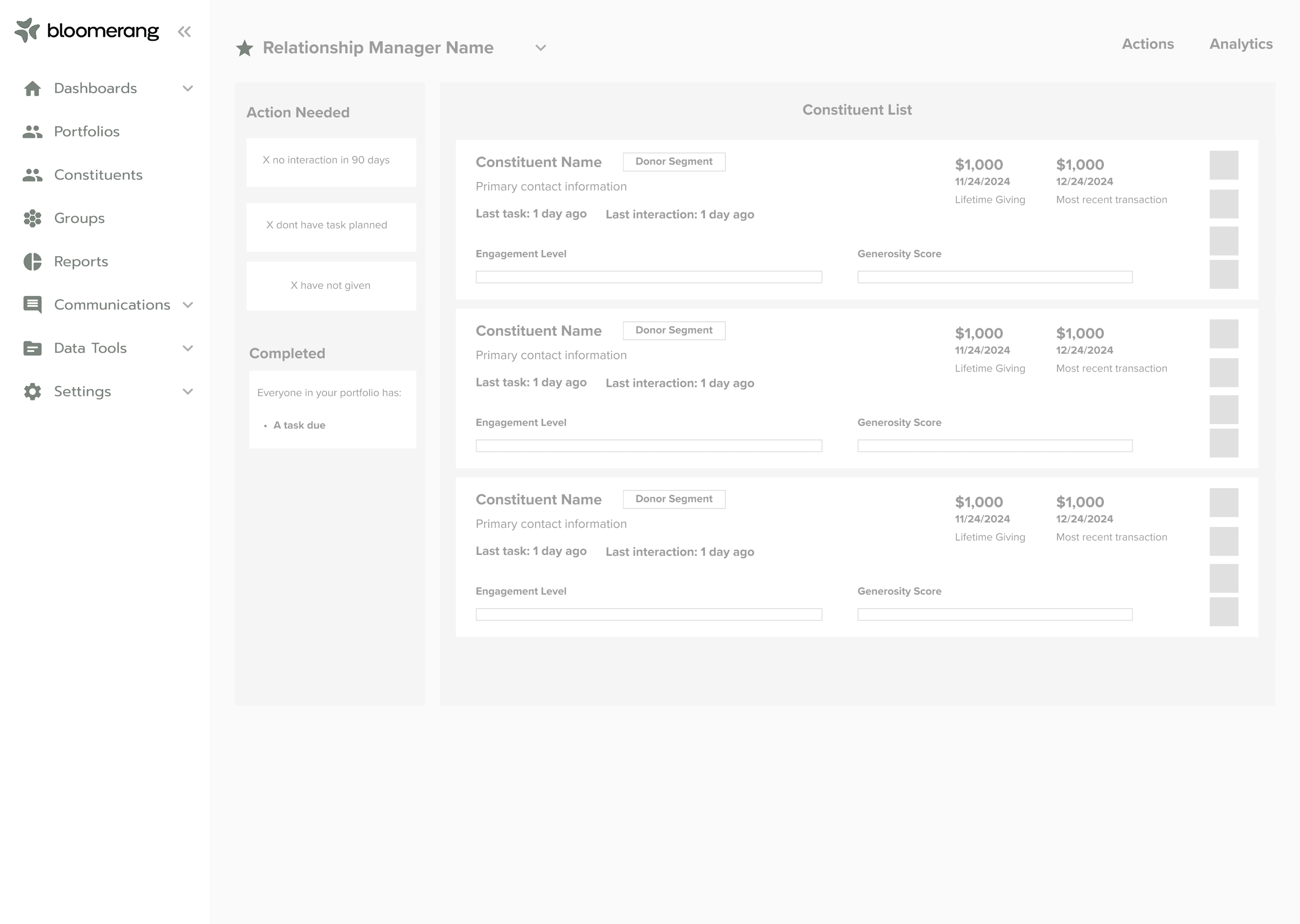
Identify constituents who need attention based on task due dates, interaction history, and giving patterns.
Easily initiate communication or create new tasks directly from the dashboard.
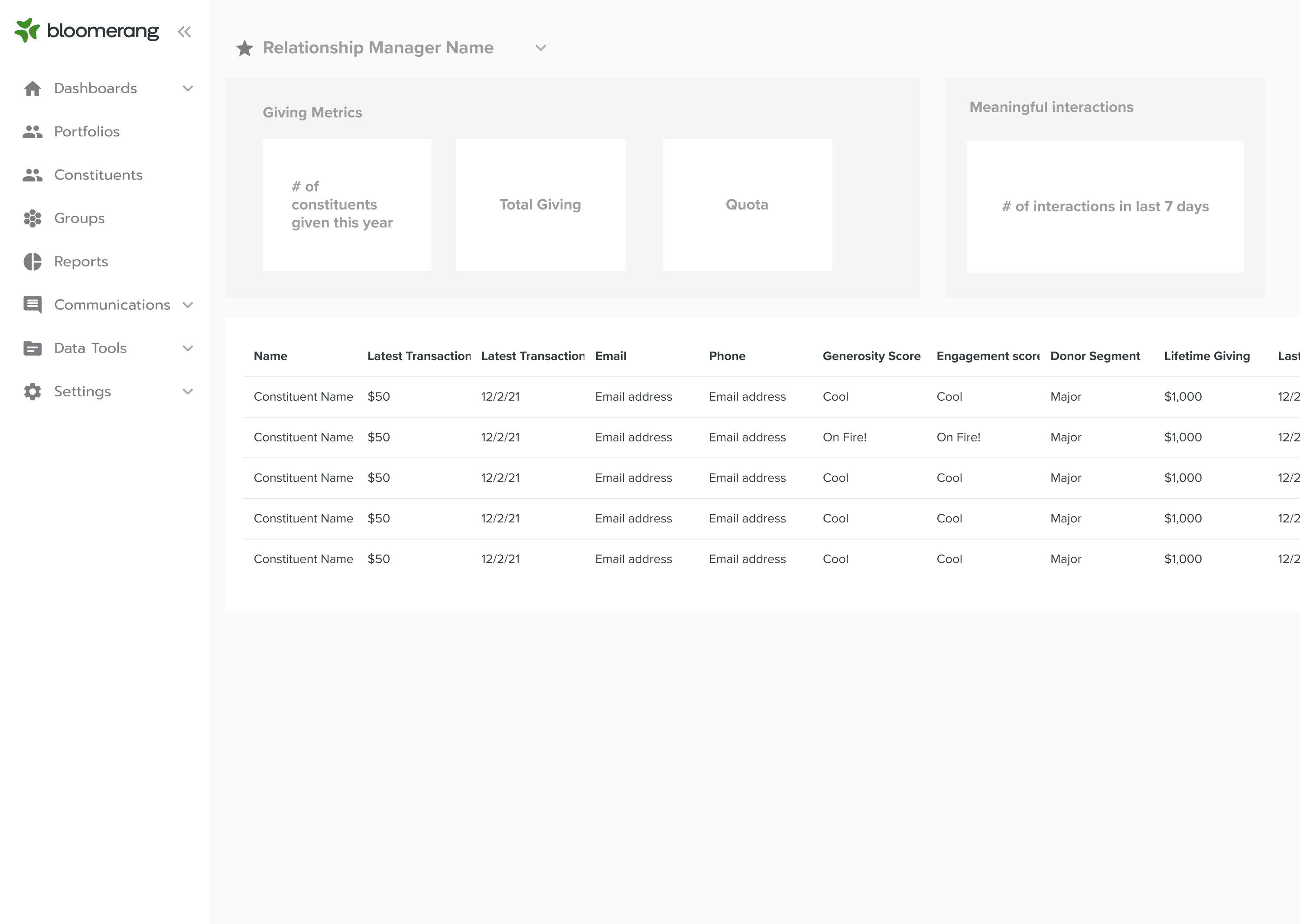
Track outcomes and key performance indicators (KPIs) to monitor progress toward fundraising goals.
User Research
To ensure the design met user needs, we conducted extensive user research:
Surveys to Identify Priorities
We began by surveying relationship managers to understand their top priorities and pain points. This helped us determine which features were most important for inclusion in the dashboard, including prioritizing tasks, viewing donor engagement metrics, and easily creating new tasks.Prototype Testing
After gathering user input, we created an initial prototype and sent it out for testing with a group of relationship managers. This allowed us to validate ideas, get early feedback on the interface, and see how users interacted with the dashboard.User Interviews
To gain deeper insights, I conducted over 10 user interviews. Working closely with relationship managers on the prototype, I was able to identify what worked well and what didn’t. Through these interviews, we learned:What users found most valuable (e.g., clear task prioritization and easy access to key donor details).
Pain points that needed addressing (e.g., difficulty tracking interactions with donors over time and managing task completion).
Features that could improve usability (e.g., being able to sort by due date and easily track task completion progress).
This user-centered approach allowed us to create a design that closely aligned with the needs and workflows of the relationship managers.
Key Features
Constituent Overview: Displayed key details like lifetime giving, donor segment, engagement score, and recent interactions, enabling relationship managers to understand their portfolio without needing to dive deeper into individual profiles.
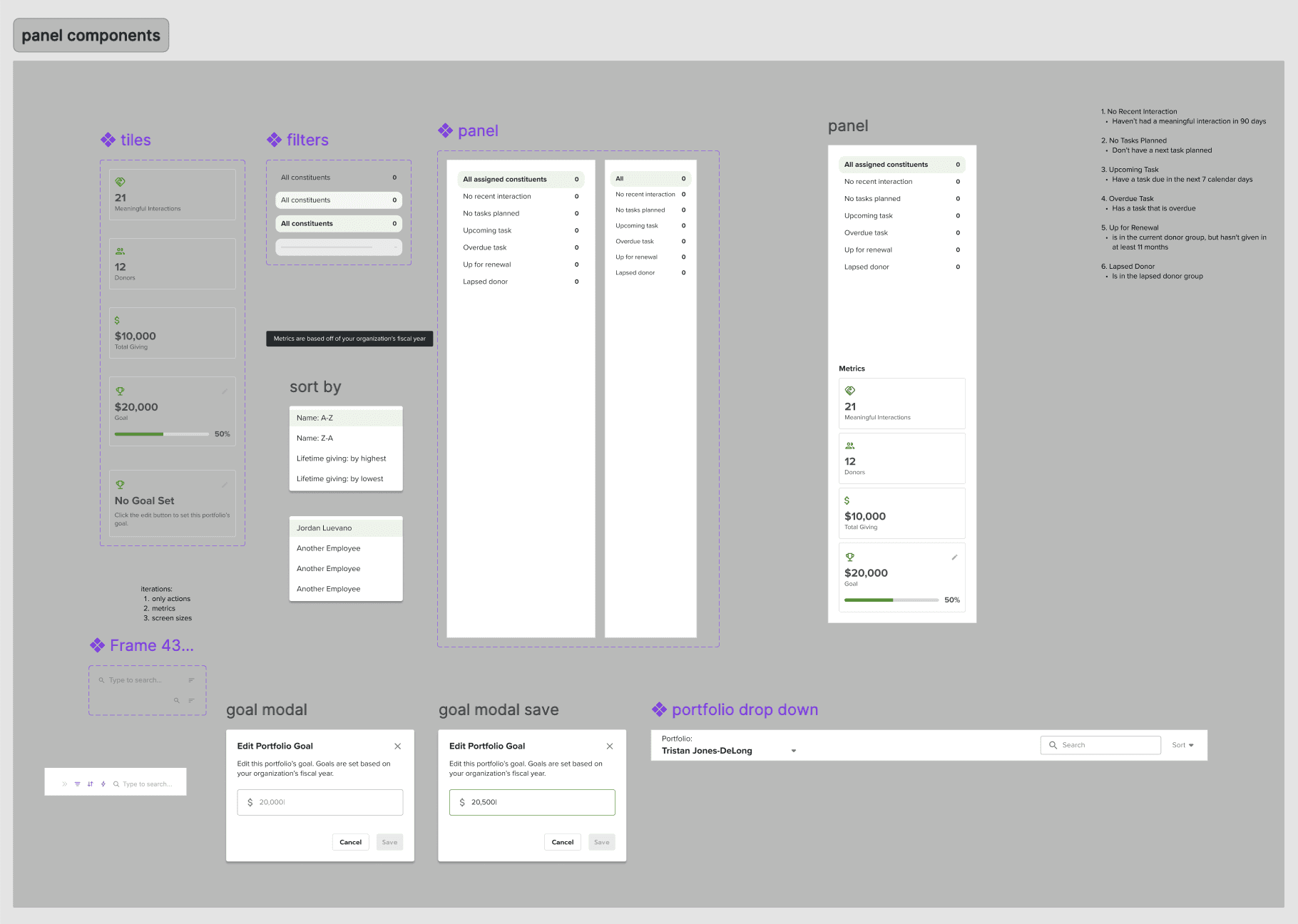
Prioritization of Actionable Tasks: Users could see which constituents needed attention based on overdue tasks, lack of recent interactions, or upcoming renewal dates. This ensured that relationship managers could focus on high-priority outreach.
Task and Communication Management: Integrated functionality to create and manage tasks and interactions directly from the dashboard. Relationship managers could initiate emails, set up phone calls, or plan follow-ups without leaving the interface.
Outcome Tracking: Provided key metrics such as the number of meaningful interactions, total giving for the fiscal year, and progress toward fundraising goals. This enabled managers to track performance and make adjustments to their strategies.
User Access Control: Ensured that users only had access to their own data or data they were authorized to view, with the flexibility for team collaboration when needed.
Challenges Addressed
Fragmented Data: By consolidating key donor information into a single dashboard, we eliminated the need for relationship managers to pull data from multiple sources, saving time and reducing manual work.
Lack of Prioritization: The dashboard automatically flagged high-priority constituents, helping users stay focused on the most critical tasks.
Manual Task Creation: Simplified task creation and management directly within the dashboard, reducing the time and effort spent organizing donor interactions.
Measuring Success: Added KPIs such as interaction counts and total giving to ensure that relationship managers could easily monitor their progress and the health of their portfolios.
Outcome
The dashboard provided relationship managers with a centralized, easy-to-use tool that streamlined their workflow. With key donor data at their fingertips, they could quickly identify high-priority constituents, track interactions, and plan outreach more effectively. The result was a more organized, efficient approach to major gift fundraising, helping relationship managers build stronger connections with donors and ultimately raise more funds for the organization.
Reflection
This project pushed me to think carefully about information hierarchy in a high-stakes context. The hardest design decision was determining what data to surface on the dashboard — relationship managers wanted everything visible at once, but too much information would defeat the purpose of a prioritization tool. I had to make deliberate tradeoffs, leaning heavily on user interviews to distinguish what managers thought they needed from what actually changed their behavior day-to-day. If I were to revisit this project, I'd invest more time in testing different data hierarchy models earlier in the process rather than refining a single direction through multiple rounds.